AI courses: Git Commit Message Generator Sample
AI CommitGen Learning Experience
Learning Experience:
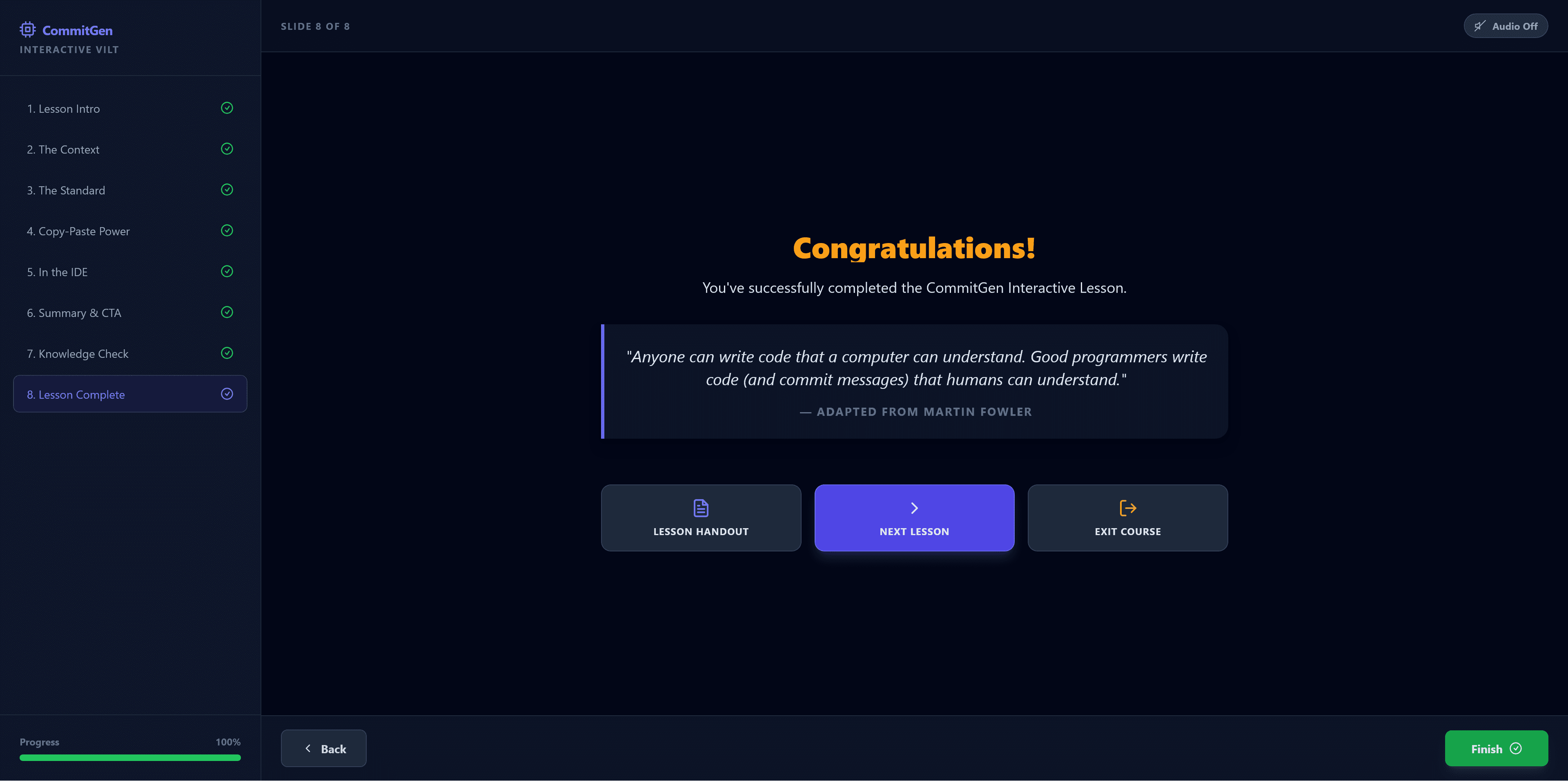
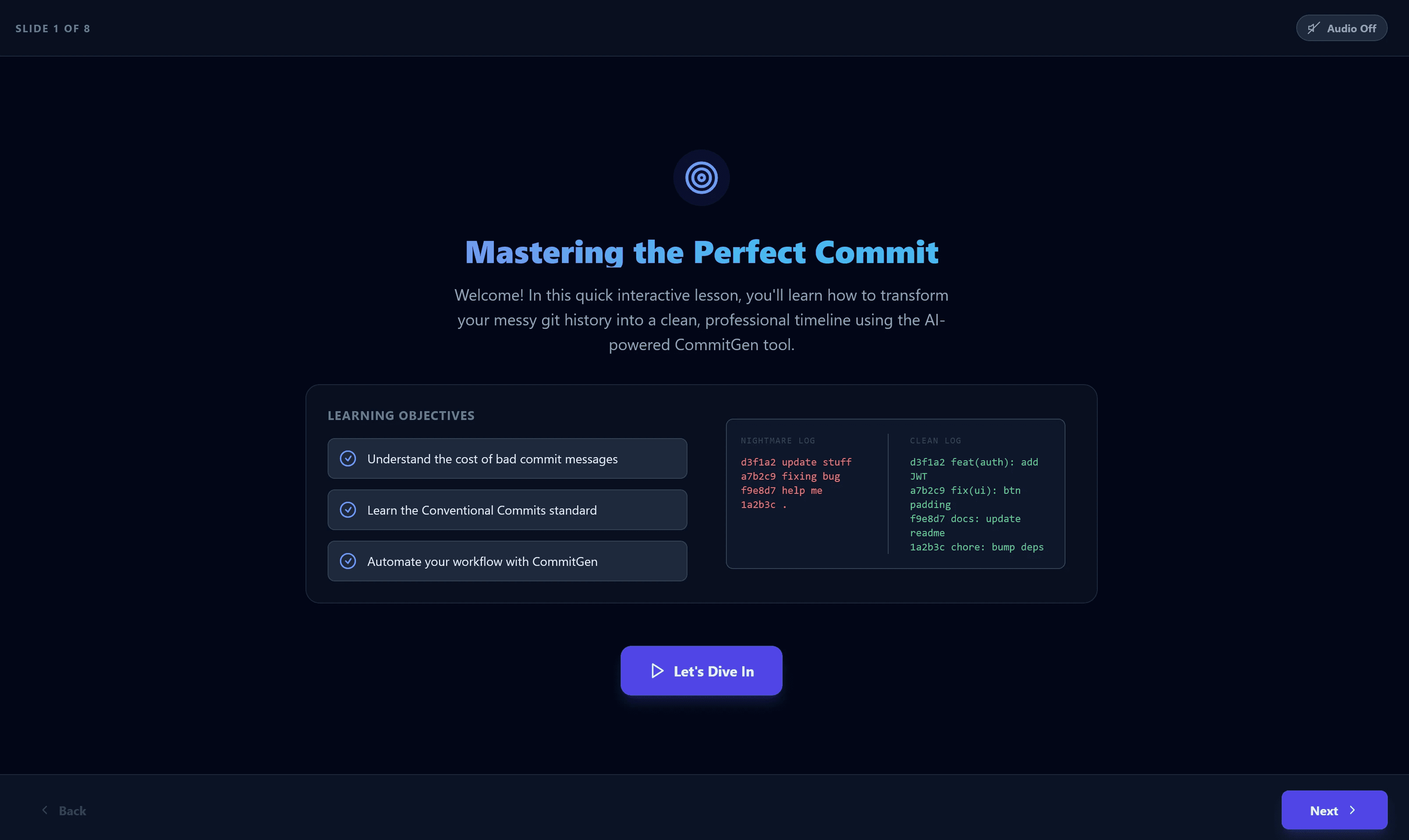
The approach centres on a Problem-Agitation-Solution (PAS) framework specifically tailored for junior developers. By starting with the "pain" of a messy git history, we establish immediate relevance. The lesson then scaffolds from the concept of Conventional Commits to the practical application using the AI tool across both web and IDE environments. This ensures the learner doesn't just see a product pitch, but gains a professional skill they can use immediately.
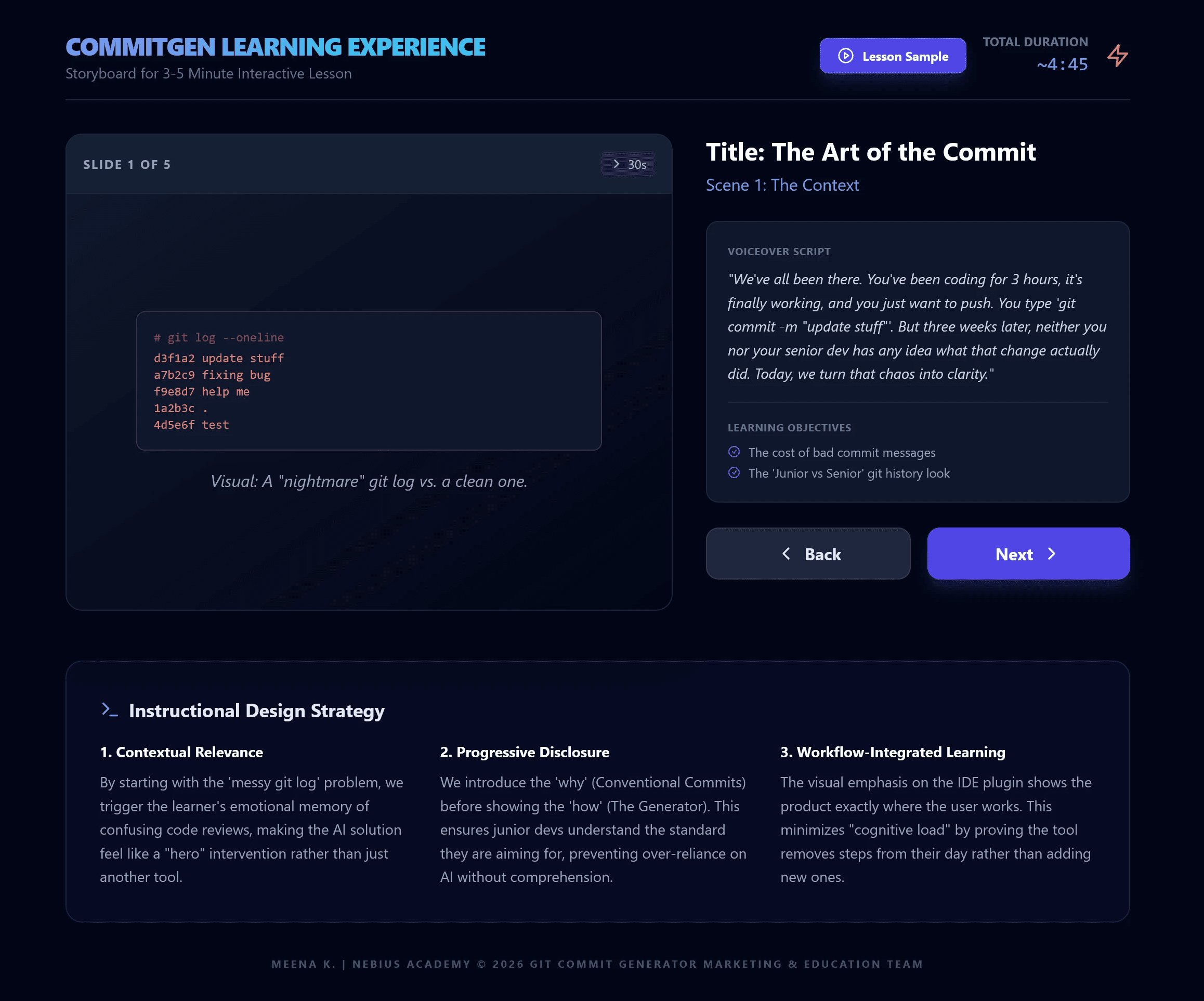
Key Highlights of the Design Approach:
Instructional Framework: I utilised a "Show-Don't-Just-Tell" methodology. Instead of listing features, the lesson visualises the product in the exact environments a developer inhabits (terminal, web browser, and IDE).
Sample Targeted Content: Junior developers often struggle with "professionalism" in their contributions. By framing the AI tool as a way to "Commit Like a Senior," the lesson addresses an aspirational goal while solving a technical pain point.
UI/UX for Learning: The storyboard/ lesson is presented in a dark-themed, developer-centric UI to mirror the environment of the product. This creates immediate aesthetic alignment and builds trust with the technical audience.
Strategic Promotion: The "Native Workflow" slide is the pivot point—it moves the product from a "cool experiment" (the Web App) to an "essential utility" (the Plugin), which is key for long-term user retention.
Structural and Technical Tools:
1. AI & Content Generation/Brainstorming: These tools are used to brainstorm learning objectives, draft scripts, and structure the initial storyboard flow.
Large Language Models (LLMs): Used to generate lesson outlines, case studies, and dialogue for scenarios.
Grammarly: To ensure the instructional copy is concise, professional, and at the correct reading level.
Gemini, ChatGPT: used for research and outlining lesson dynamics
2. Storyboarding & Visual Planning: Before building, these tools help map out the user interface (UI) and the learner's journey.
Miro: Excellent for creating flowcharts of branching scenarios (where a learner’s choice leads to different outcomes). Used for high-fidelity prototyping of interactive elements and UI design.
PowerPoint / Google Slides: Still the industry standard for "low-fidelity" storyboards to show text-on-screen and image placement.
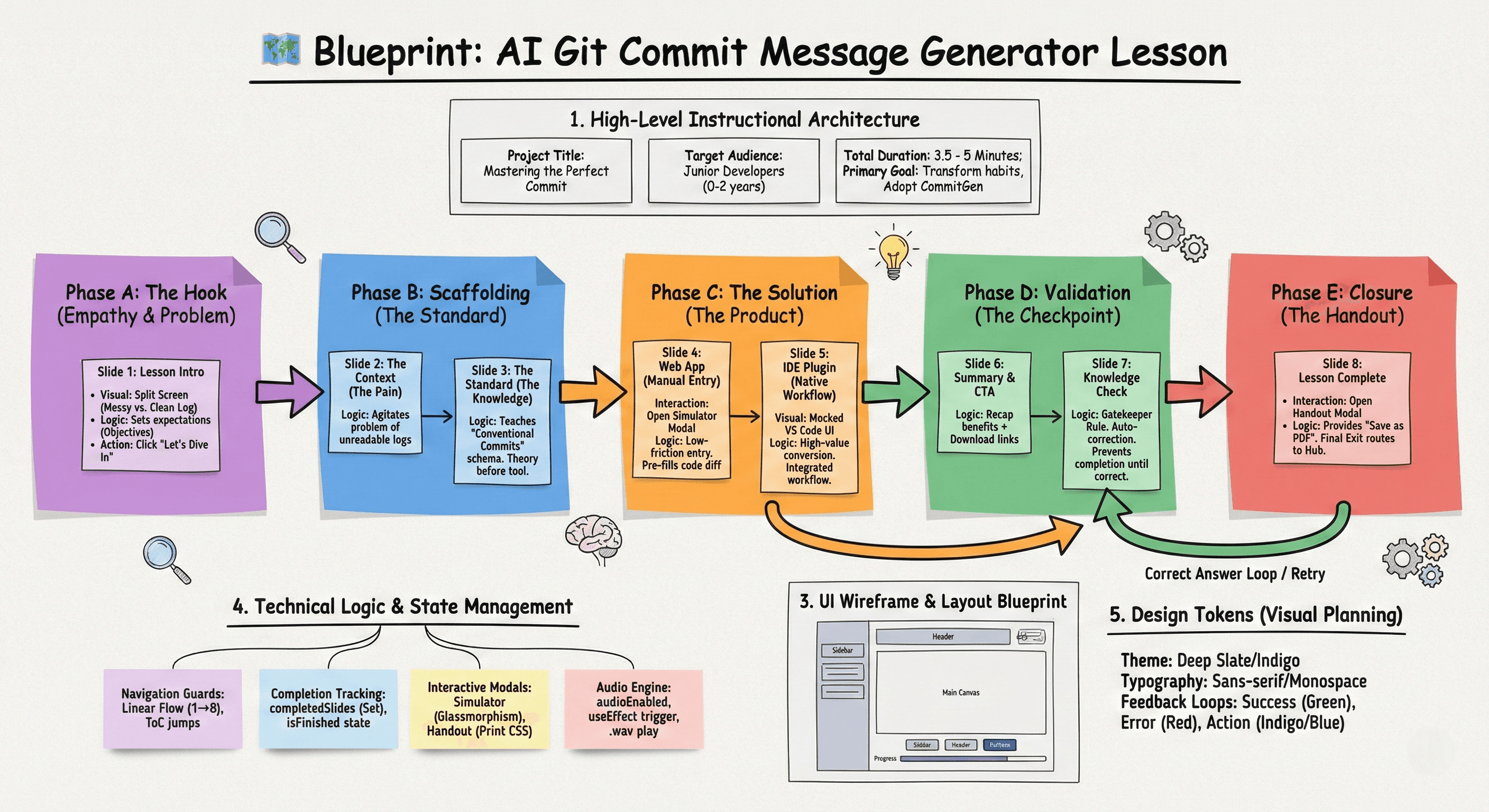
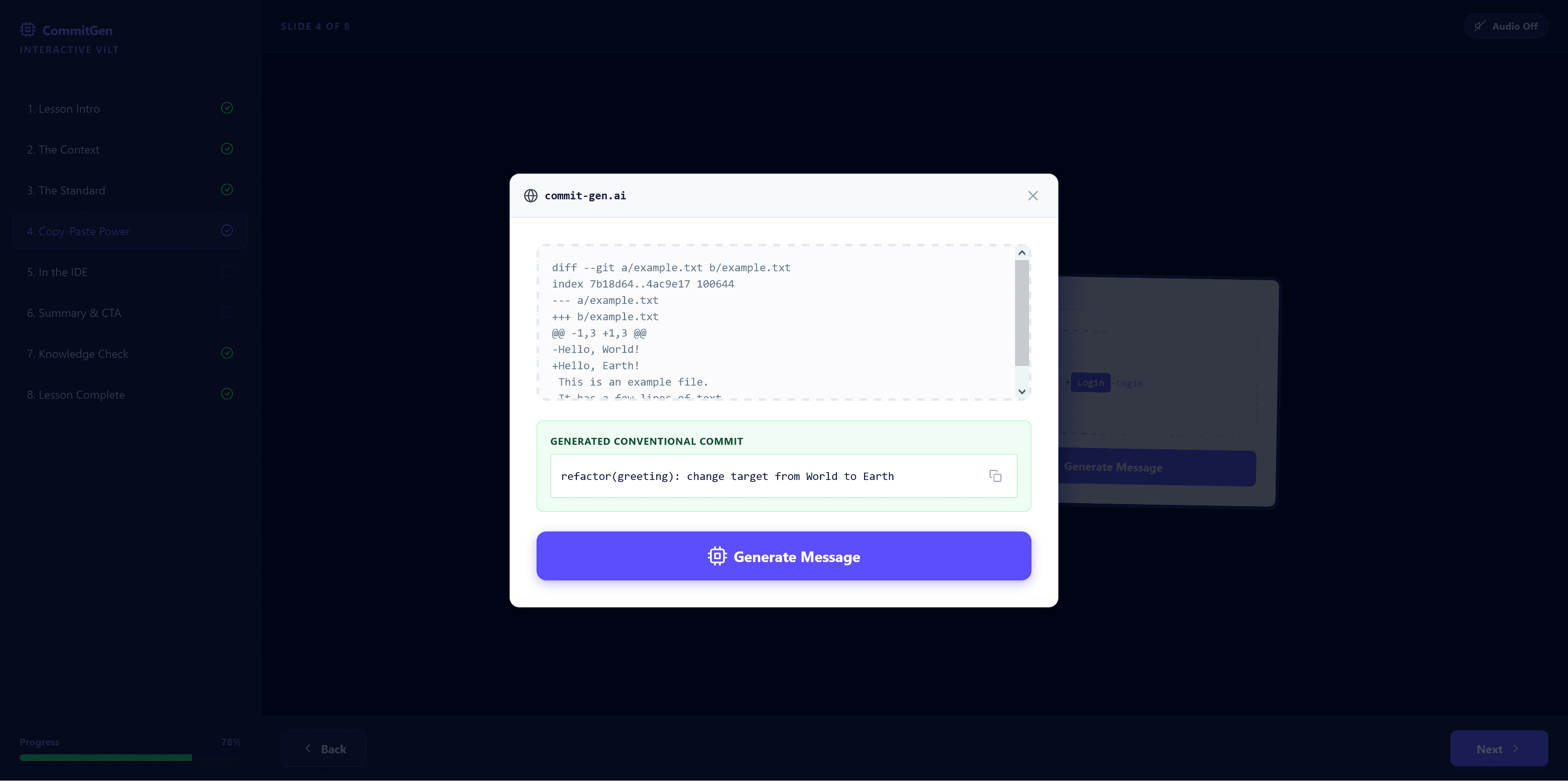
3. Interactive Development (The "Engine"): For creating the actual lesson that the learner interacts with:
Web Technologies (HTML5, CSS3, JavaScript, React.js): The gold standard for creating custom, responsive, and standalone interactive apps or infographics that work in any browser.
Articulate Storyline 360: Specialised e-learning "authoring tools" that allow for complex interactions without deep coding.
AI Engineering/Development: Used to generate/develop the 'commit-gen.ai' web app user simulation.
4. Visual & Multimedia Production:
Canva: For quick, high-quality graphic design, doc and mockups.
Google AI Labs: Gemini > Nano banana pro + Image FX used for image/branded icons' generation, AI Music used for Text-to-Speech audio generation.